
- Quản trị viên
- March 20, 2026
- Usage Instruction
VNPAY PAYMENT INSTRUCTIONS ON WEBSITE
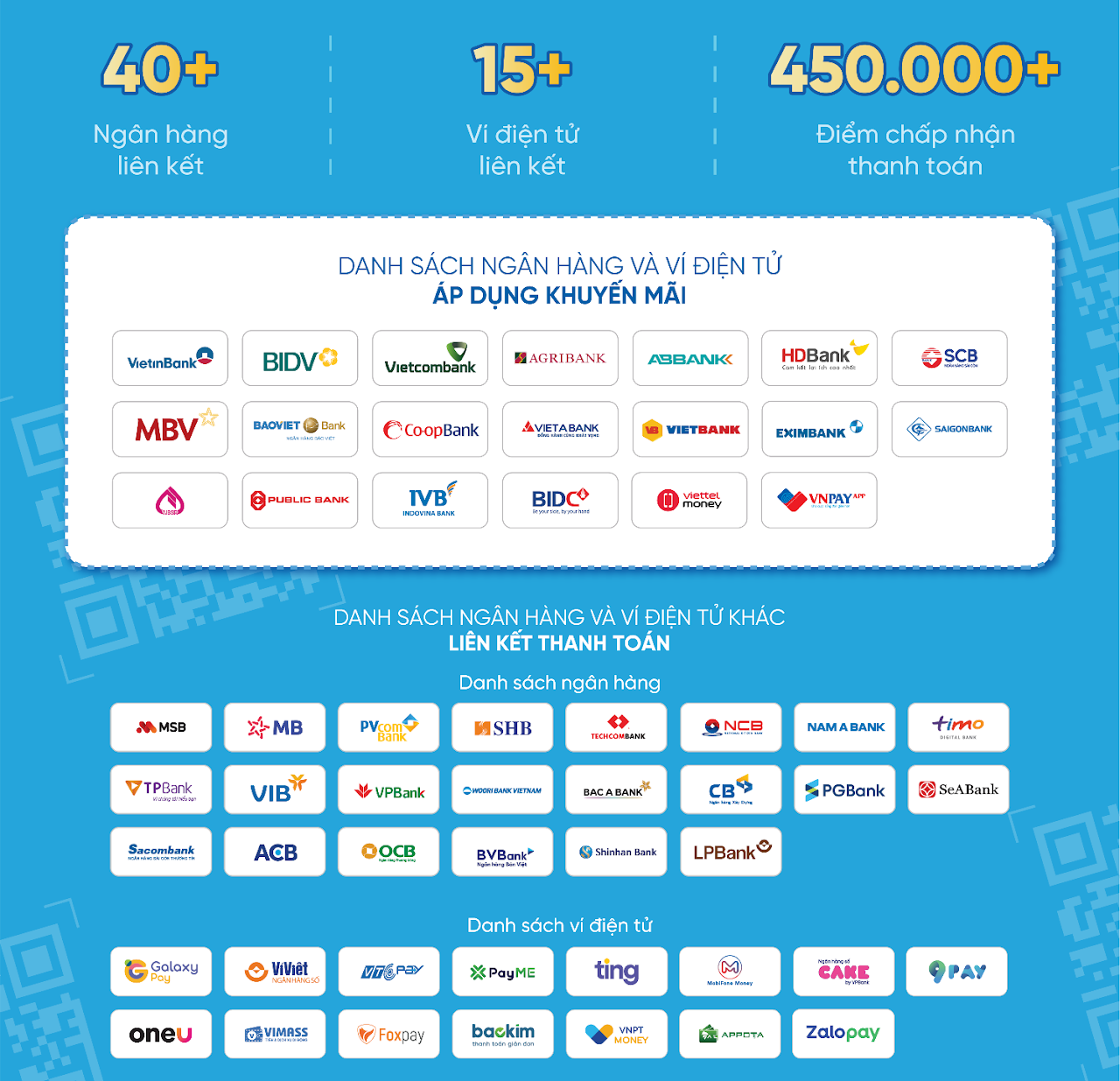
The VNPAY payment gateway is a payment solution developed by Vietnam Payment Solution Joint Stock Company (VNPAY). Customers can use bank cards, bank accounts, or QR Pay/VNPAY-QR features integrated into Mobile Banking apps or linked e-wallets to complete transactions and apply discount codes (if any).
Scan VNPAY-QR using 40+ Mobile Banking apps and 15+ linked e-wallets
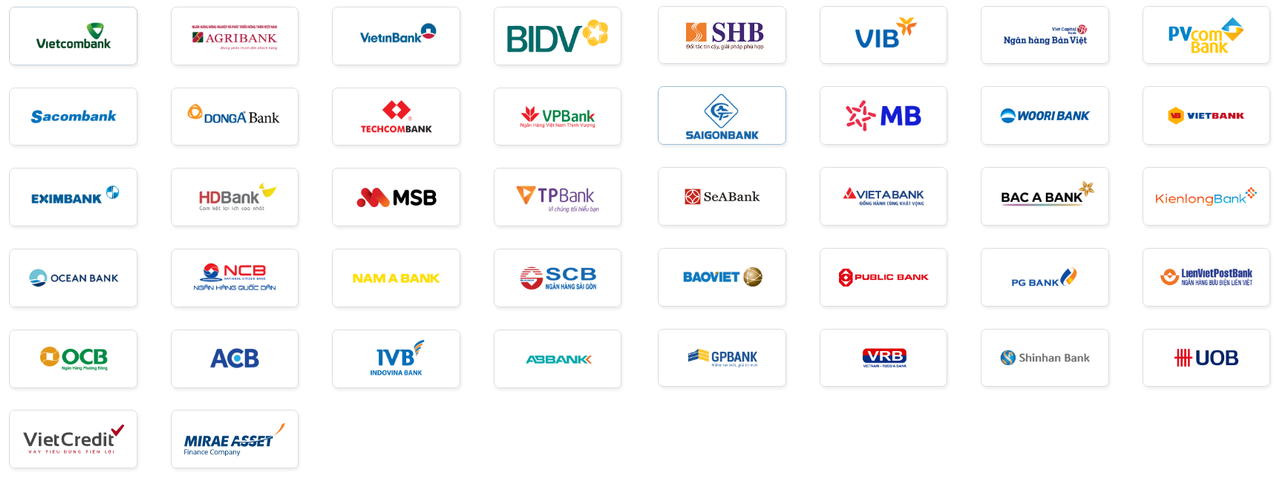
Support for 40+ domestic ATM cards and bank accounts
Support for 5 international card schemes

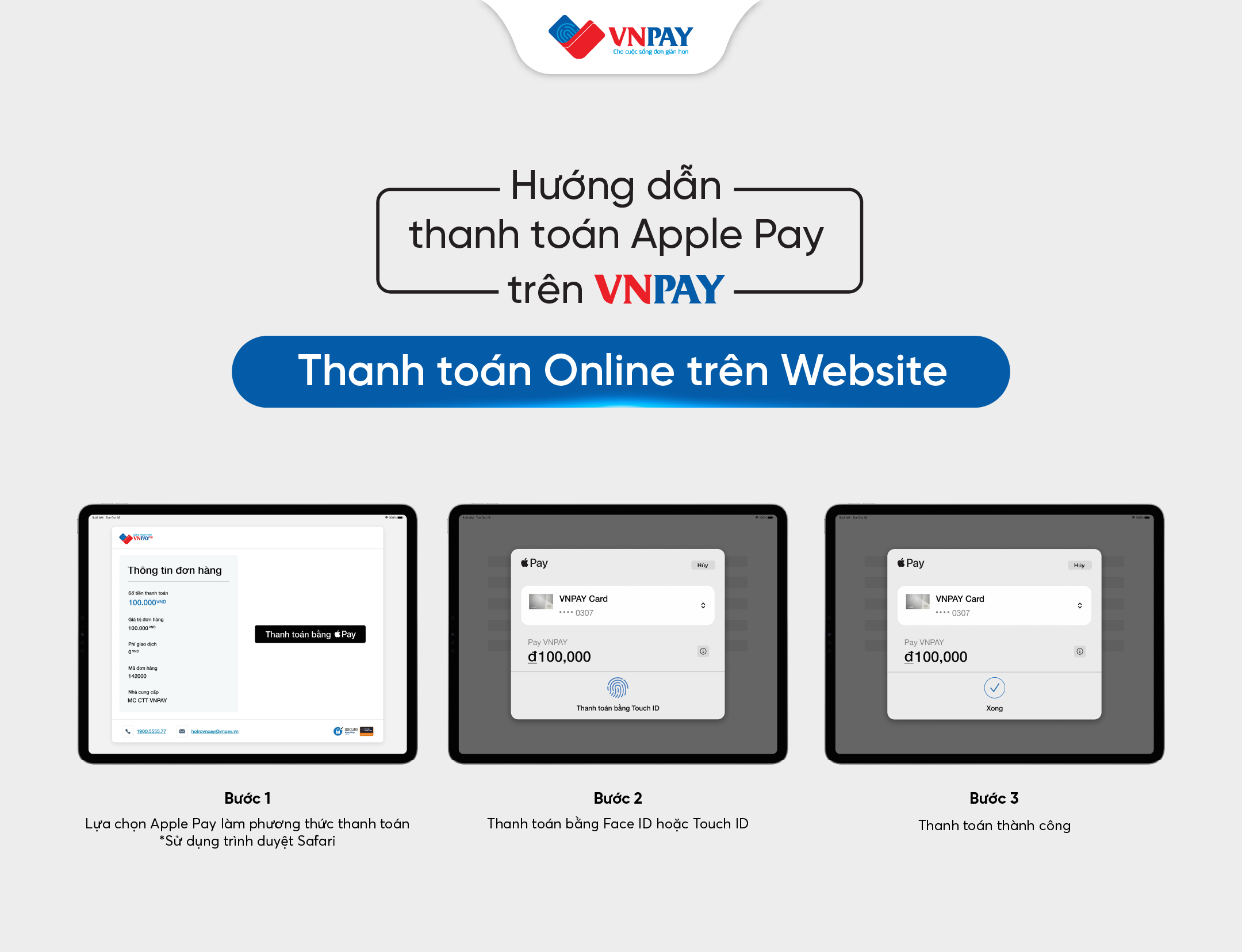
Apple Pay

(Availability depends on the card organization and issuing bank)
VNPAY PAYMENT METHODS
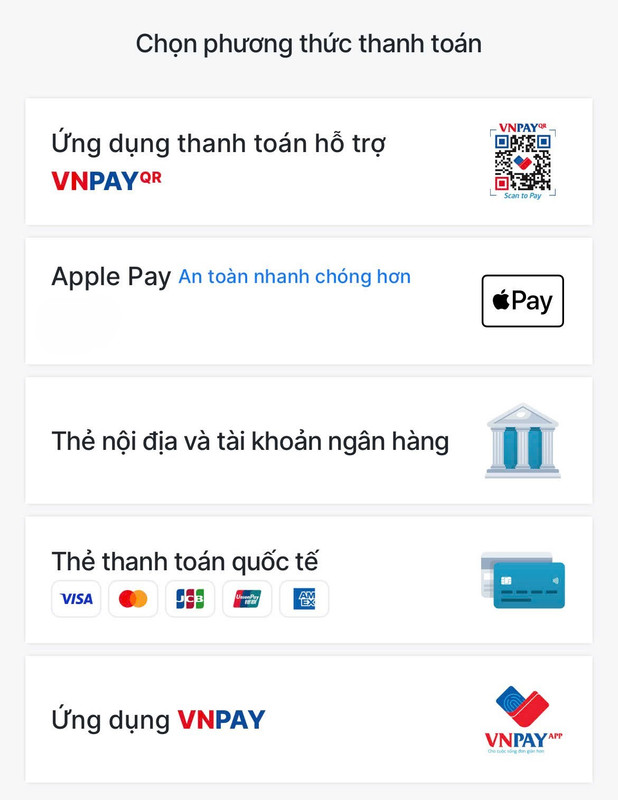
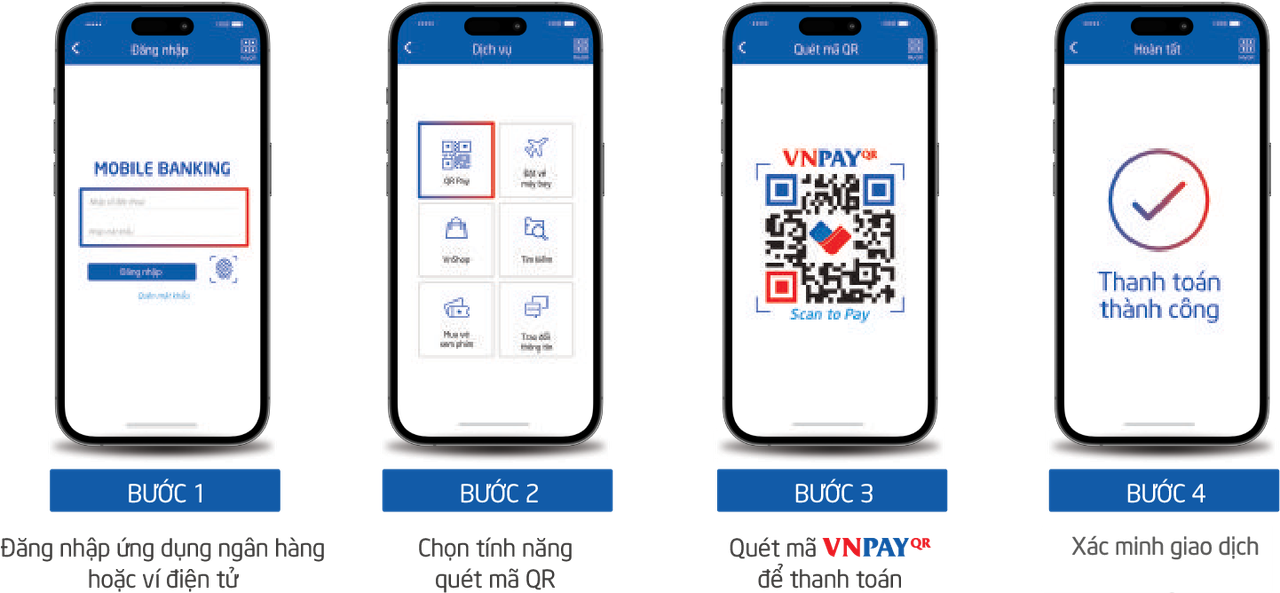
1. Payment via “VNPAY-QR Supported Payment Apps”
Step 1: Select your product/service and click “Pay Now” or “Place Order”.
On the checkout page, review your order, fill in all required information, select VNPAY as the payment method, and click “Place Order Now”.
Step 2: You will be redirected to the VNPAY payment gateway.
Select “VNPAY-QR Supported Payment Apps”.
Step 3: A QR code and the payable amount will be displayed.
Please verify the amount, then use your banking app (from the supported list), choose “Scan QR”, and scan the code on the website.
Note: The QR code is valid for 15 minutes.
To ensure successful payment, please prepare your mobile device and QR scanning function in advance to avoid timeout issues that may affect transactions or promotions.
Step 4: Review the payment details, enter a discount code (if any), and complete the payment.
After successful payment, you will receive an order confirmation notification on the website.
2. Payment via “Domestic Cards and Bank Accounts”
Step 1: Select your product/service and click “Pay Now” or “Place Order”.
Check your order details, fill in required information, select VNPAY, and click “Place Order Now”.
Step 2: You will be redirected to the VNPAY payment gateway.
Select “Domestic Cards and Bank Accounts” and choose your bank.
Step 3: Enter your card/account information as required and click “Continue”.
An OTP will be sent to your registered phone number. Enter the OTP to complete the transaction.
Note: The transaction will expire after 15 minutes.
Step 4: After successful payment, you will receive an order confirmation notification on the website.
3. Payment via “International Cards (Visa, MasterCard, JCB, UnionPay)”
The process is similar to Domestic Cards and Bank Accounts.
4. Payment via “VNPAY E-Wallet”
The process is similar to VNPAY-QR Supported Payment Apps.
5. Payment via “Apple Pay”
Step 1: Access the website using Safari, select your product/service, and click “Pay Now” or “Place Order”.
Verify order details, fill in required information, select VNPAY, and click “Place Order Now”.
Step 2: You will be redirected to the VNPAY payment gateway.
Select “Apple Pay”.
Note: The transaction will expire after 15 minutes.
Step 3: Authenticate the payment using Face ID or Touch ID.
Step 4: After successful payment, you will receive an order confirmation notification on the app.
.png)
VNPAY SUPPORT CHANNELS
-
Hotline: *3388 or 1900 55 55 77
-
Zalo Official Account: zalo.me/4134983655549474109
-
Email: hotro@vnpay.vn
-
Fanpage: facebook.com/VNPAYQR.vn